Free Chrome Extension

Feel the moment
the internet reacted

LikePulse shows you exactly where YouTube audiences peak — key moments, AI-powered audience analysis, and product detection. On any video, instantly.

Add to Chrome — It's Free See how it works
LikePulse take the audience pulse
analyzed
599
with timestamp
87
key moments
6
Mention distribution · 27:08
Most commented moments Expand all
2:33 The Harry Potter figurines — "this is actually the best part" · "2:38 literally crying" 10 mentions
5:33 5:25 "this is insane!! 🔥" — hay like · "5:30 in conclusion A MEXICAN GAME!!" 6 mentions
8:51 "8:45 I thought you were gonna say the grefg" · "8:45 I THOUGHT A GREFT" 4 mentions
🧠
What the audience thinks
AI summary of comments — tap to read
Features

Everything you need to
read any audience

Built for viewers and creators who want to understand what really resonates — not just view counts.

📊
Engagement Heatmap

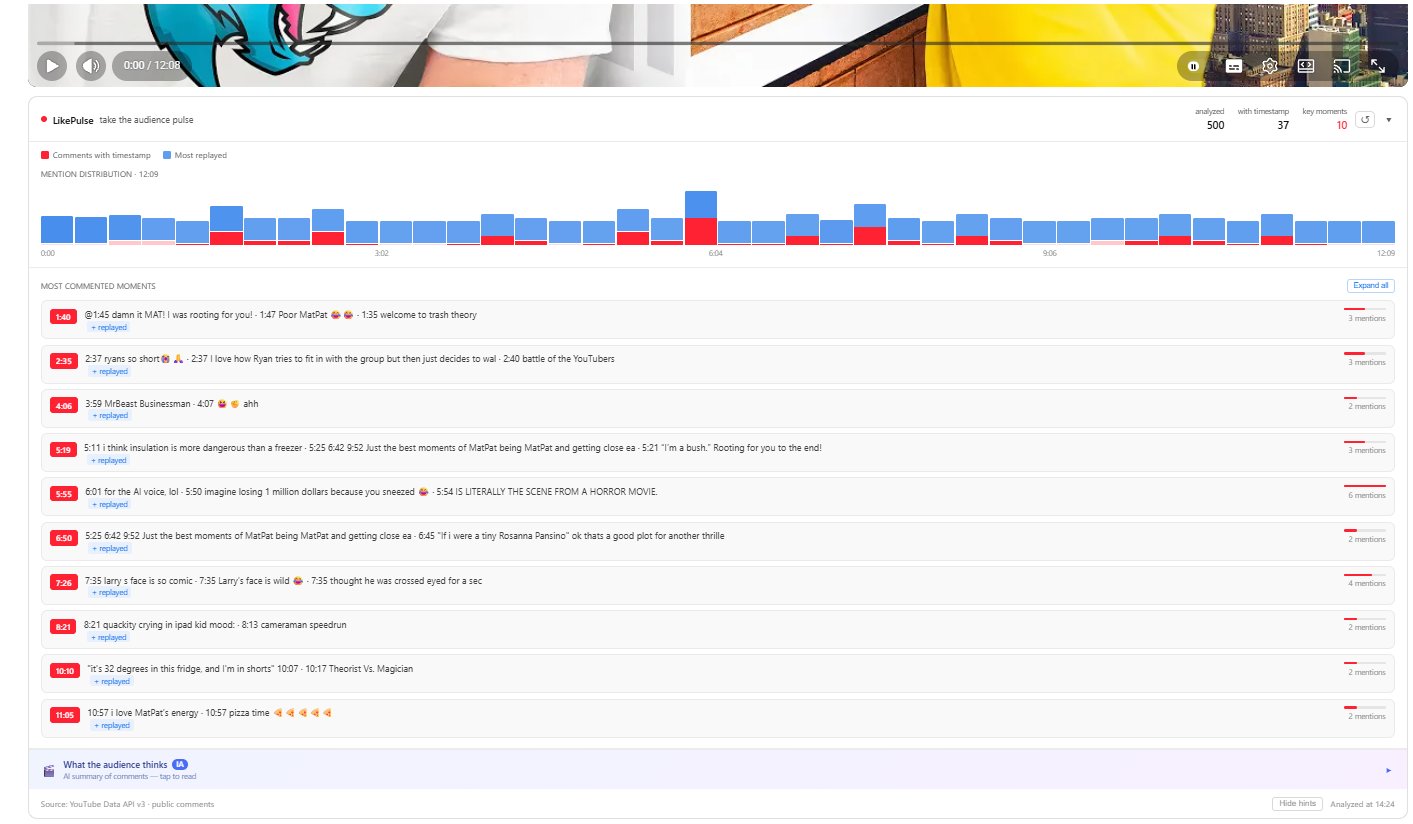
Dual-bar chart overlaid on any video. Red peaks show timestamp comments. Blue bars show Most Replayed data. See where audiences actually react.

🎯
Key Moments

Automatically detected peaks ranked by intensity. Click any moment to jump directly to that point in the video and see what people said.

🧠
AI Audience Analysis

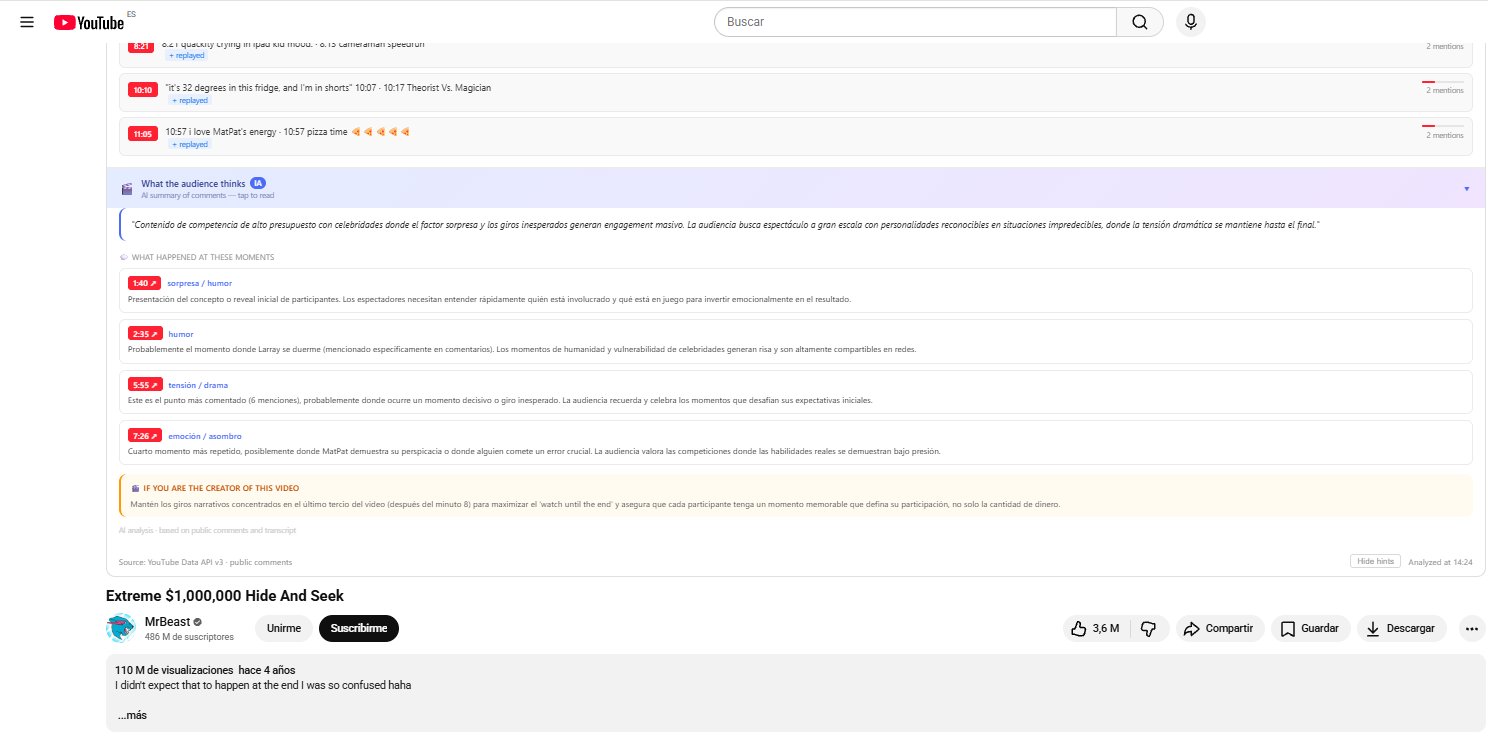
Claude Haiku reads the comments and tells you why specific moments resonated, what emotion drove them, and what the creator could improve.

🛒
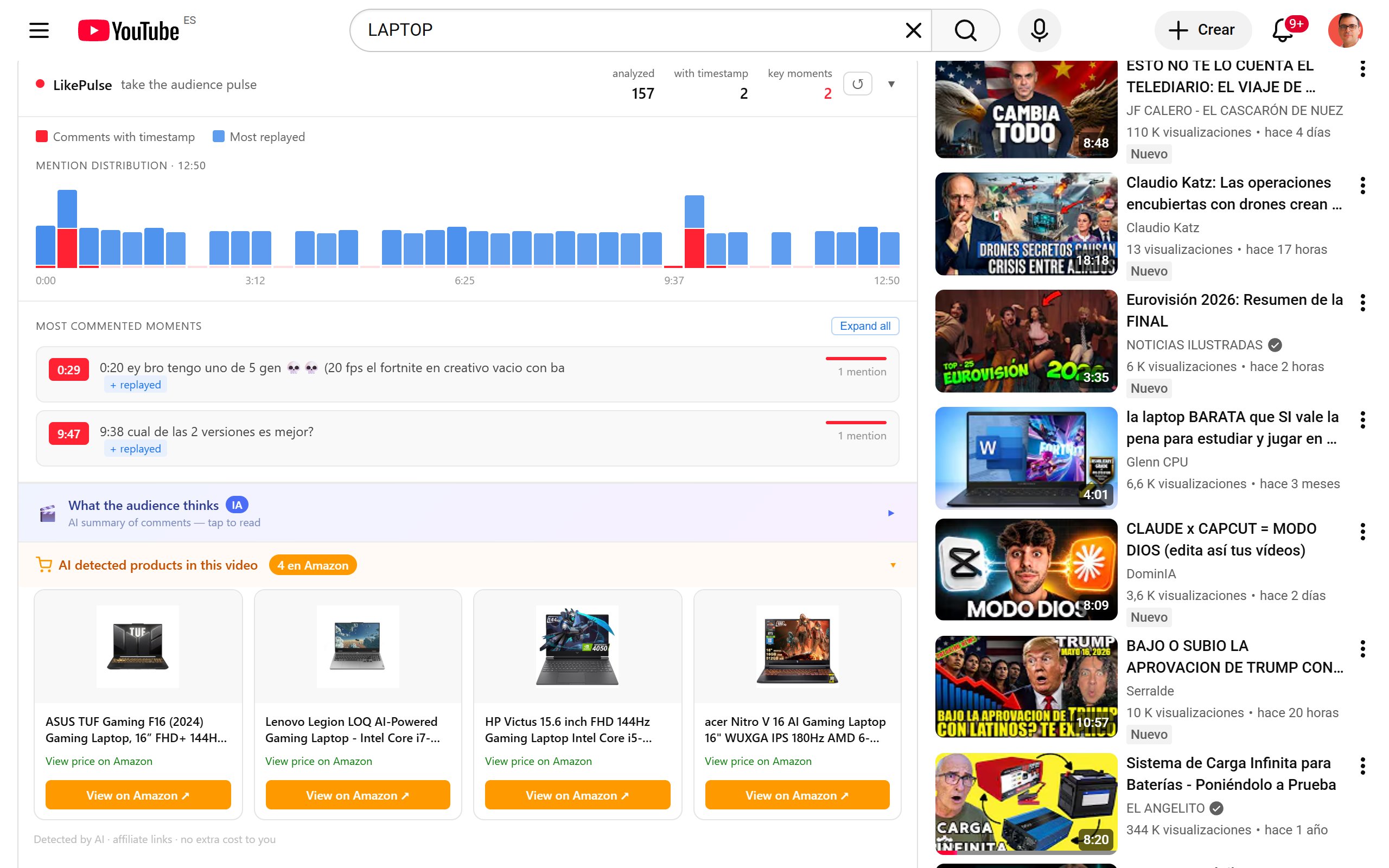
Product Detection

AI automatically identifies products mentioned in the video and finds them on Amazon. Useful for gear videos, tech reviews, and tutorials.

🌍
4 Languages

Full UI in English, Spanish, Portuguese, and French — automatically detected from your browser. Works on any YouTube video in any language.

Analyze on Demand

You decide when to analyze. LikePulse never runs automatically — click once and get the full picture. Results cached for 7 days.

How it works

Three steps to understand
any YouTube audience

01

Install the extension

Add LikePulse to Chrome in one click. No account needed, no login, no subscription. Free forever for the core features.

02

Open any YouTube video

LikePulse appears below every video automatically. When you're ready, hit "Analyze this video" to start.

03

Read the audience

See the engagement heatmap, key moments, AI analysis of why each moment worked, and detected products — all in seconds.

In action

See LikePulse on real videos

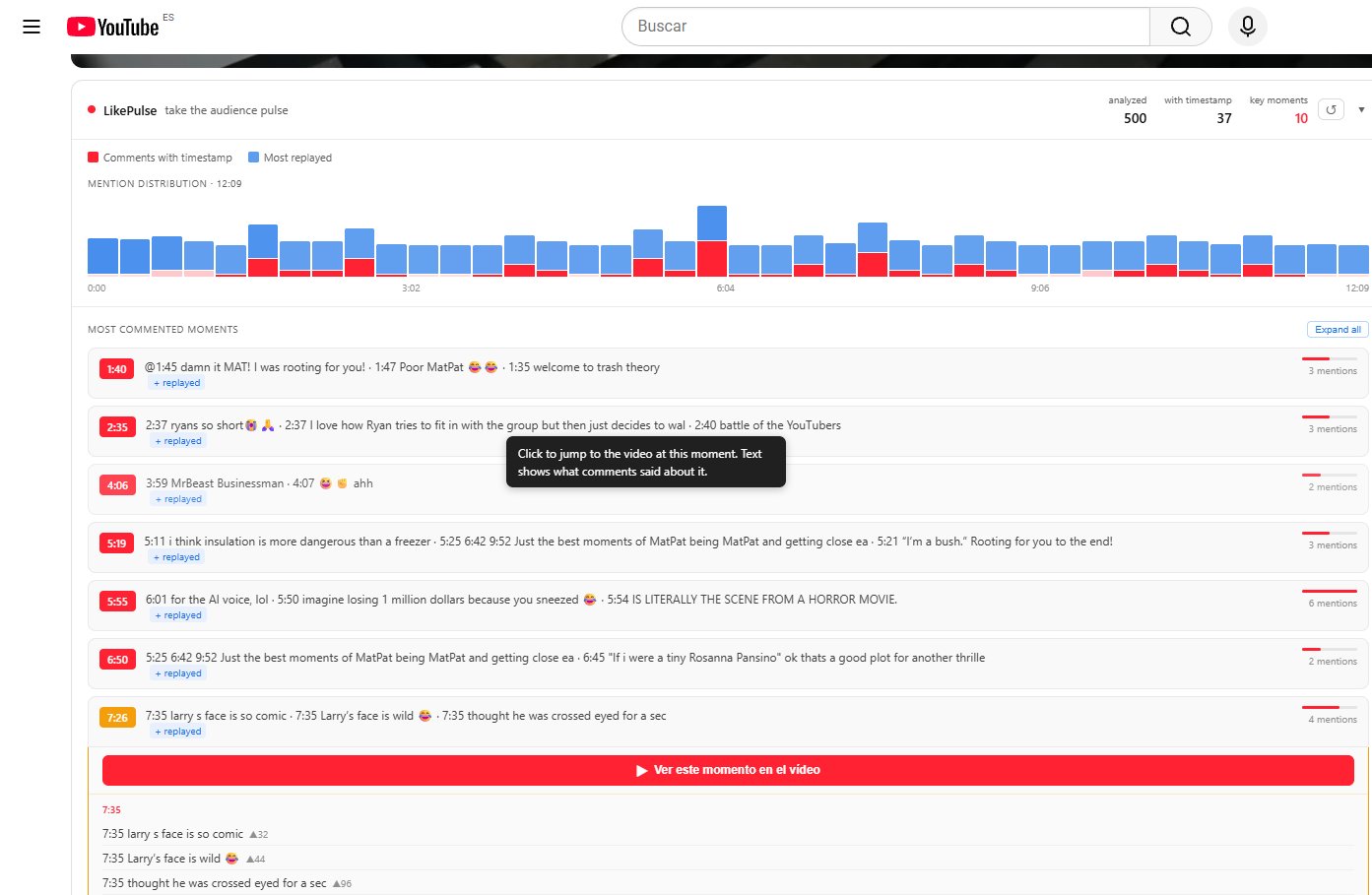
LikePulse heatmap and key moments on a MrBeast video
LikePulse key moments with inline comments expanded
LikePulse moments list with tooltip
LikePulse AI audience analysis panel

Ready to feel the pulse
of any video?

Free forever. No account. No credit card. Just install and start understanding your audience better.

Add to Chrome — Free

Privacy Policy

Last updated: May 2026

What data we collect

LikePulse does not collect, store, or transmit any personal data. The extension operates entirely within your browser.

YouTube Data API

When you click "Analyze this video", LikePulse fetches public comments for that video using the YouTube Data API v3. This data is processed locally in your browser and is never sent to our servers.

AI Analysis

When you request an AI analysis, a summary of public comments (not personal data) is sent to our Cloudflare Worker, which calls the Anthropic API to generate the analysis. No user identifiers are included in these requests. Results are cached for 7 days by video ID only.

Amazon Affiliate Links

LikePulse may display Amazon product links with affiliate tags (adriancubasre-20 for US, adriancubasal-21 for ES). Clicking these links may earn us a small commission at no extra cost to you. We do not track clicks beyond what Amazon's standard affiliate program provides.

Permissions

LikePulse requests the following Chrome permissions:

Contact

Questions about privacy? Contact us at privacy@likepulse.app